Dependent models |
  
|
Dependent models |
|
Where input prospects have different models, it is possible to link those models when consolidating. For example, you may have a couple of horizons in a well which may have either oil or gas, but you believe that they will both have the same hydrocarbon type. You can link the models so that if, in any given iteration, Prospect 1 has oil, then so does Prospect 2. Models are linked through their names.
The input dialog is extremely simple:
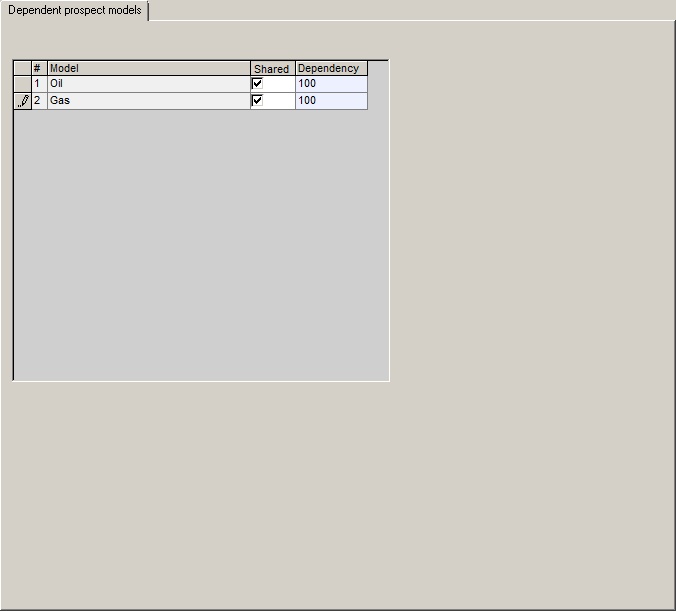
Model |
This column shows the names of all the models in the input prospect set. |
Shared |
Check if this model is to be shared (linked) |
Dependency |
The degree of dependency (linkage). By default, this is 100%. See how it works. |
For a given iteration, REP chooses a model for each prospect, starting with the one at the top of the list. Suppose the chosen model is marked as shared. Now when choosing the model for the next prospect the program looks to see if the shared model is defined. If it is, the model chances are adjusted according to the degree of dependency. With 100% dependency the shared model will definitely be chosen. (In fact the the degree of dependency is really a scale between the independent model chance and 100% model chance. Obviously the other model chances will decrease of go to zero.)
Note that you need to share all dependent models. In the example above both the oil model and the gas models need to be shared. If you shared only one of them - for example, oil - then the logic is that if the oil model is chosen in Prospect 1, then Prospect 2 will definitely have oil (100% dependency). But if Prospect 1 is gas, then Prospect 2 could be either oil or gas, depending on the original model chances.