ECO sensitivity |
  
|
ECO sensitivity |
|
The sensitivity screen allows you to change the cut-off (use the slider or type in the new cut-off) and see how the various chances, P levels and means react. Click [Plot] for a useful graphical display.
Changing the cut-off in the sensitivity screen does not change the basic cut-off used in the calculations. If you want to set a cut-off chosen here to be the prospect cut-off, click the [Set] button.
[Note: If you do not wish to use a cut-off then ensure you leave the cut-off field blank. If you enter "0"...]
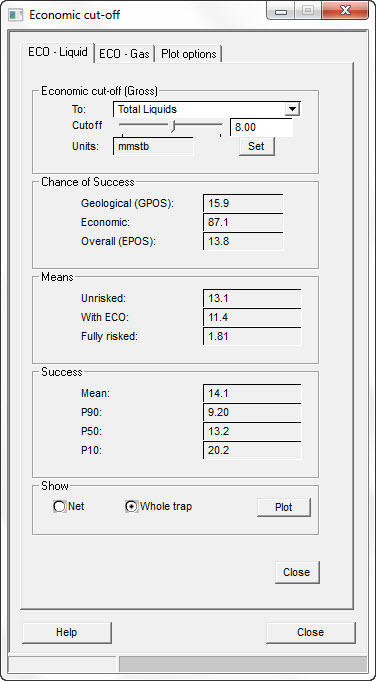
Economic cut-off (Gross) |
|
To |
Phase to which the cut-off applies |
Cutoff |
Enter the economic minimum for oil |
Units |
Denotes the unit by which cut-off is measured (mmstb) |
Set |
Click to set this cut-off for the prospect |
Chance of Success |
|
Geological (GPOS) |
Shows GPOS chance of success |
Economic |
Shows economic chance of success |
Overall (EPOS) |
Shows overall chance of success |
Means |
|
Unrisked |
Shows unrisked mean |
With ECO |
Shows unrisked mean with ECO |
Fully risked |
Shows fully risked mean |
Success |
|
Mean |
Shows mean |
P90 |
Shows P90 |
P50 |
Shows P50 |
P10 |
Shows P10 |
Show |
|
Show |
Choose to plot net volumes or whole trap volumes |
Plot |
Click to show a plot |
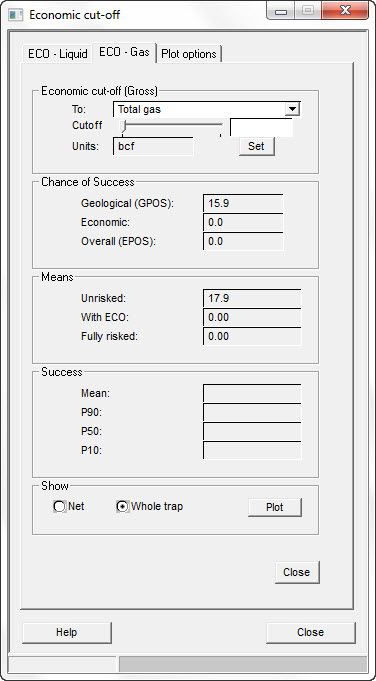
Economic cut-off (Gross) |
|
To |
Phase to which the cut-off applies |
Cutoff |
Enter the economic minimum for gas |
Units |
Denotes the unit by which cut-off is measured (bcf) |
Set |
Click to set this cut-off for the prospect |
Chance of Success |
|
Geological (GPOS) |
Shows GPOS chance of success |
Economic |
Shows economic chance of success |
Overall (EPOS) |
Shows overall chance of success |
Means |
|
Unrisked |
Shows unrisked mean |
With ECO |
Shows unrisked mean with ECO |
Fully risked |
Shows fully risked mean |
Success |
|
Mean |
Shows mean |
P90 |
Shows P90 |
P50 |
Shows P50 |
P10 |
Shows P10 |
Show |
|
Show |
Choose to plot net volumes or whole trap volumes |
Plot |
Click to show a plot |
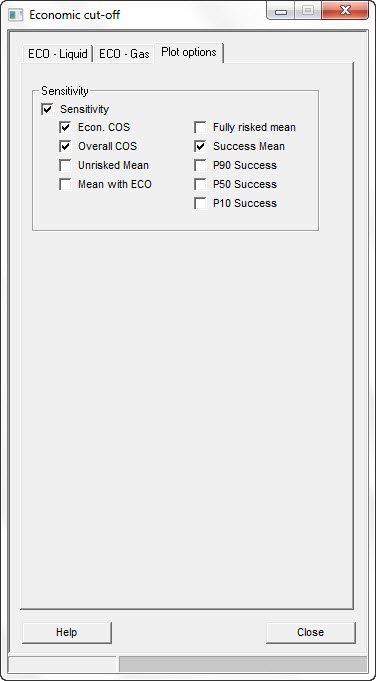
Sensitivity |
|
Sensitivity |
Check to show a sensitivity plot |