Copying Distributions to Other Models or Prospects |
  
|
Copying Distributions to Other Models or Prospects |
|
You can copy distributions from one model or prospect to other models or loaded prospects.
To do this, load up the prospects (or file with multiple models) to which you wish to copy particular distributions. Go to the distribution you wish to copy, either from the input data menu items, or from the input data summary dialog. Click the [Copy..] button. The following will appear:
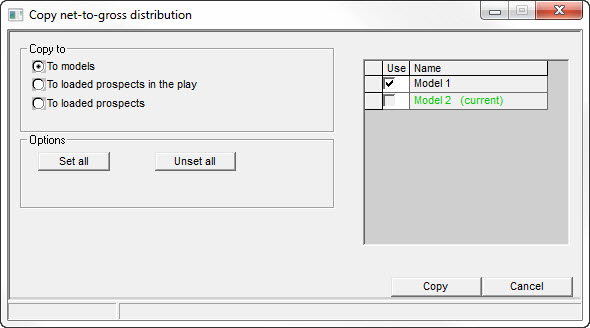
First click one of the options on the left side - "To models", "To loaded prospects in the play", or "To loaded prospects".
The list on the right is populated with the models or prospects which meet the criteria:
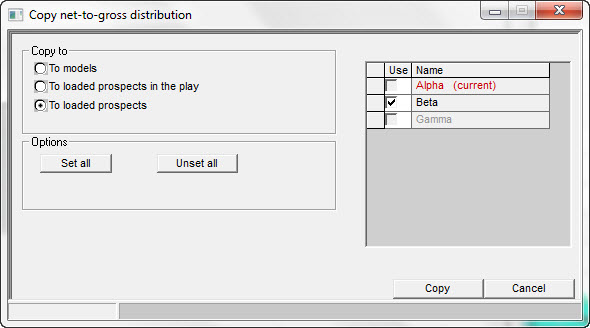
The current prospect or model is shown in red. Any prospect which is not using the variable being copied (e.g. a gas case will not have an oil formation volume factor) is shown in grey.
Ensure the ones you want to copy to are checked and then click [Copy].
If you want to copy several distributions it is best to go to the input data summary table. By clicking successively on the variables in the table, the Variable entry dialog and the Copy distribution dialog are updated: just go on clicking the [Copy] button and the job is done in no time.
Copy to |
|
Copy to |
Choose where to copy distribution to |
|
|
Options |
|
Set all |
Check all other models/prospects |
Unset all |
Un-check all other models/prospects |