Calculation options |
  
|
Calculation options |
|
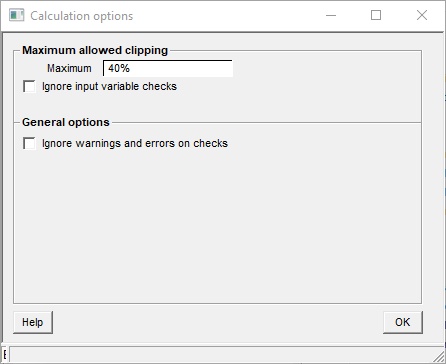
This dialog allows miscellaneous option to do with prospect calculations.
|
|
Maximum allowed clipping |
|
Maximum |
Maximum percentage of iterations which can be rejected because of choosing values for input variables outside the clipping limits. By default this is set at 40%. The danger of higher numbers is that the entered input distributions start to look quite different to the actual post-clipping distributions that control the calculation. |
Ignore input variable checks |
The calculation starts by checking that all required variables are present, and that surfaces and so on are properly aligned. Sometimes these checks are a bit severe, and you may wish to continue with the calculation anyway; in which case, check this option, The warnings and errors are shown anyway, after the calculations finish. |
|
|
General options |
|
Ignore errors and warnings |
Just plough ahead anyway. |