Risk table |
  
|
Risk table |
|
Where you have a number of prospects and/or models loaded, it is useful to be able to see a table of the risks in each of them.
The table is divided into 3 tabs (note that the dialogs you actually see will depend on the risking scheme you are using):
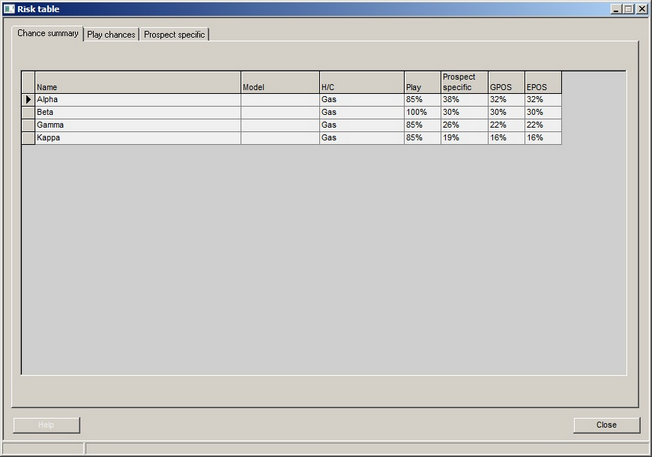
A chance summary, which shows the play chance, prospect specific chance, GPOS and EPOS. This table cannot be edited, but by clicking a column header you can sort it.
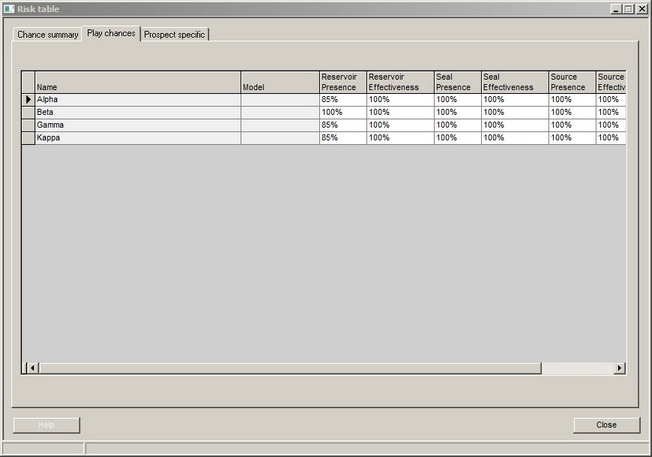
The play chances: each category (and, where appropriate, sub-category) of play chance is shown.
The prospect specific chances: each category (and, where appropriate, sub-category) of prospect specific chance is shown.
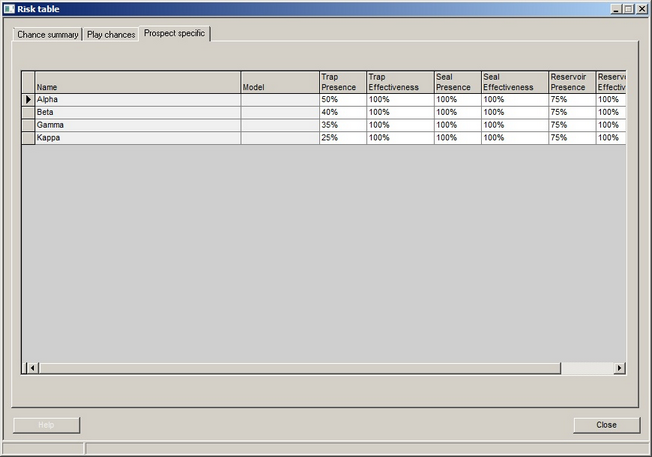
You can edit edit the chances in the play and prospect specific tables (which will of course update the summary table).
Also in the play and prospect specific tables you can:
·right click in the column header and set a chance to be applied to all prospects and models in the table.
·right click in a specific cell in the table, and copy this chance to all entries above, all below or all entries.